ClocTeck

4, 5, or 6 Tubes? How to Choose a ClocTeck Desk Clock

4, 5, or 6 Tubes? How to Choose a ClocTeck Desk Clock

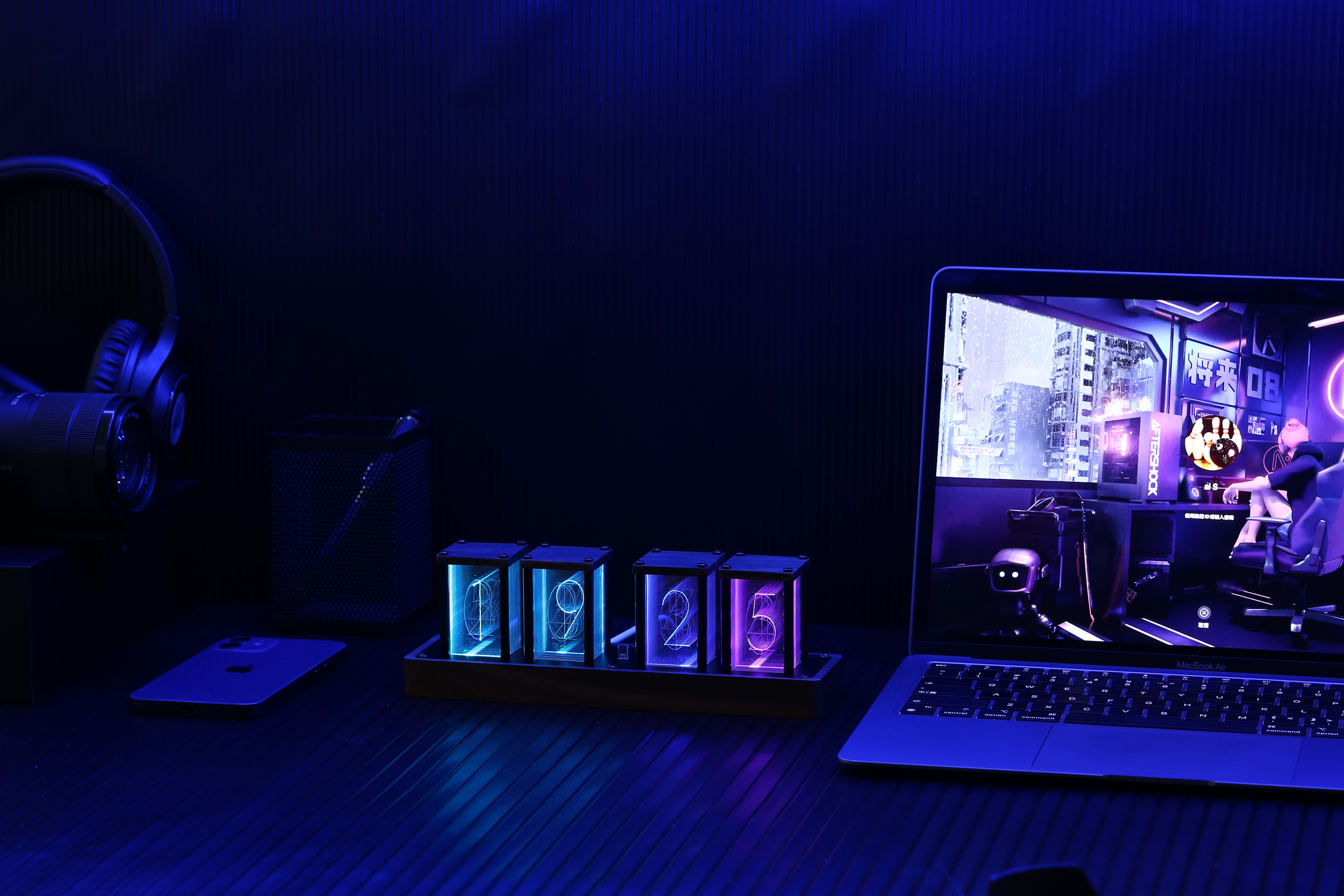
Choosing between a 4-, 5-, or 6-tube ClocTeck desk clock is mainly a decision about desk space, the amount of time information you want visible, and how strongly the clock should shape the room. The three models share the same core controls, RGB display modes, USB-C power, alarm, timer, and Wi-Fi setup workflow. Their size and number of display positions create the practical difference.

This guide compares the current range so you can choose deliberately rather than assuming that the largest model is automatically the best.

ClocTeck tube clock comparison

Model Approx. size Approx. weight Current U.S. price Best for
4-tube clock 228 × 60 × 78 mm 385 g $59.90 Compact desks, bedside surfaces, clear hours-and-minutes reading
5-tube clock 252 × 60 × 80 mm 450 g $69.90 Balanced desk presence and a more sculptural row of transparent modules
6-tube clock 280 × 60 × 80 mm 520 g $75.90 Full six-position presentation, larger desks, and prominent display setups

Dimensions and weights are from the ClocTeck RGB tube clock manual. U.S. prices were checked August 11, 2026; the live product page and localized checkout price take precedence.

Choose the 4-tube clock for clarity in a smaller footprint

The 4-tube model is the easiest fit when surface space is limited. Its four display positions keep the essential hours-and-minutes view compact, leaving more room for a keyboard, speaker, charging stand, or bedside items.

This is usually the strongest choice when:

  • your desk is narrow or already holds several devices;
  • you mainly need to read hours and minutes;
  • you want a retro light accent without making the clock the largest object on the desk;
  • you are buying a practical gift and do not know the recipient’s exact setup dimensions.

Compact does not mean visually quiet. The transparent digit panes still create depth, and the RGB modes can make the display as restrained or colorful as the room requires.

Choose the 5-tube clock for balanced visual presence

The 5-tube model sits between the compact four-position clock and the wider six-position design. The additional transparent module gives the object a more sculptural rhythm, while its 252 mm width remains manageable on many work and gaming desks.

This model makes sense when:

  • design presence matters as much as compactness;
  • you want individual clear modules to read as a deliberate display object;
  • the clock will sit under a monitor or between two speakers;
  • you want a gift with more visual impact without moving to the widest body.

Measure the intended surface first. An extra 24 mm over the 4-tube version is modest on paper, but the surrounding negative space affects whether a desk looks composed or crowded.

Choose the 6-tube clock for the fullest display

The 6-tube model is the widest and heaviest option in the core range. Six display positions support a fuller time presentation and create the strongest horizontal visual line.

Choose it when:

  • seconds are useful or visually satisfying to see;
  • you have a longer desk, shelf, console, or monitor riser;
  • the clock is intended to be a focal object rather than a small accessory;
  • you often view the display from farther across a room.

The six-position clock is not automatically better for a bedside table. Its greater width and more active display can feel dominant in a small, dark space. For sleep environments, consider viewing angle and minimum brightness before deciding.

Features shared by all three models

The decision does not require trading away the main functions. Across the 4-, 5-, and 6-tube range, the control concept is shared:

  • USB-C power with a stable 5V/1A supply;
  • custom RGB color settings;
  • multiple animated and static display modes;
  • adjustable brightness;
  • 12- and 24-hour display selection;
  • alarm and countdown timer;
  • Wi-Fi-assisted setup and time synchronization.

For button functions, Wi-Fi setup, alarm operation, and firmware-update precautions, use the ClocTeck RGB tube clock manual.

Plan the clock as part of the whole desk

Product width is only the first measurement. Leave room for the USB-C connector and avoid pressing the rear cable sharply against a wall. A little empty space at both ends also makes the transparent modules easier to distinguish. If the clock sits between two speakers, check that neither speaker blocks the outer display positions from your normal viewing angle.

Monitor height changes the result too. A tube clock under a low monitor can look compressed even when it technically fits. If your display has a deep stand, place a ruler or cardboard strip matching the clock dimensions on the desk before ordering. This simple mock-up reveals whether the selected model competes with the keyboard, mouse path, or monitor base.

For a shelf or living-room console, measure viewing distance as well as surface width. The 4-tube clock is easy to place, but a 5- or 6-tube body creates a more intentional horizontal presence when seen from across a room. Keep direct sunlight in mind: layered illuminated panes are most expressive indoors and away from harsh glare.

Think about brightness, motion, and color

All three models can become visually active when an animated RGB mode is selected. That is useful for a gaming setup or display shelf, but it may be distracting during focused work. A single color at moderate brightness is the safest everyday starting point. You can then introduce a breathing or flowing mode when the clock is being used as an ambient object rather than a quiet time display.

Bedrooms deserve a separate decision. Even a compact model can feel bright when viewed in darkness. Place the clock below eye level, avoid aiming it directly at the bed, and confirm the preferred brightness before building the rest of the arrangement around it. Model size does not replace good placement.

How much does the size upgrade cost?

At the U.S. prices recorded for this guide, moving from 4 tubes to 5 adds $10, while moving from 5 tubes to 6 adds $6. The full difference between the smallest and largest model is $16. That relatively small gap means the buying decision should be led by fit and display preference, not by assuming the least expensive model is the only sensible value.

Choose the larger body only when you can use its extra width. An inexpensive object that crowds a workspace is poor value, while a slightly higher-priced model that fits a planned shelf may be the better long-term choice. Customers outside the United States should use the localized product page and checkout total because currency conversion, tax, and market pricing can differ.

What to confirm before checkout

Open the exact product page rather than relying on a collection thumbnail. Confirm availability for your delivery market, the included cable or power accessories shown in the current listing, and the model dimensions. Review the shipping and return information at checkout, especially when ordering across borders.

After delivery, keep the packaging until the clock has been powered, the brightness adjusted, and the display checked. If setup is unclear, use the current online manual before repeatedly changing network or alarm settings. A short, controlled first setup is more reliable than trying several undocumented button combinations.

How to decide in three minutes

  1. Measure the available width. Do not use the full empty surface; reserve space for the cable and visual breathing room.
  2. Choose the information level. Hours and minutes favor the compact 4-tube design; a fuller time presentation favors six positions.
  3. Choose the object’s role. If the clock should quietly support the desk, start with 4 tubes. If it should anchor the composition, compare 5 and 6.
  4. Check viewing conditions. Bright rooms, dark bedrooms, and across-room viewing create different needs for size and brightness.
  5. Confirm the live market price. Currency, tax, and market adjustments can change the checkout total.

Recommendations by room

Small home office

Start with the 4-tube clock. It supplies the layered RGB look while preserving room for work equipment.

Gaming desk or display shelf

The 5-tube model offers a strong balance of color, module rhythm, and manageable width. Use a restrained color palette if the rest of the setup already has several RGB sources.

Wide workstation or living-room console

The 6-tube model has enough width to remain visually intentional at a greater distance. It works best when the surface around it is not crowded.

Gift when space is unknown

The 4-tube version is the safest physical fit. If the recipient is known to collect desk objects or has a large setup, the 5-tube version adds more presentation without committing to the widest size.

Frequently asked questions

Do the three models use different controls?

No major relearning is required. The current 4-, 5-, and 6-tube models use the same core button and Wi-Fi workflow; the primary differences are body size, weight, and display positions.

Are these real Nixie tubes?

No. They are RGB LED Nixie-style clocks using engraved transparent digit panes. Read LED vs. real Nixie tubes for a clear explanation.

Which model is best for a bedroom?

Choose based on available surface area and sensitivity to light. A compact 4-tube model is often easier to place; whichever model you choose, reduce brightness and avoid pointing the display directly toward the bed.

Ready to compare finishes and availability? Browse the full ClocTeck clock collection or open the 4-tube, 5-tube, and 6-tube product pages side by side.

Weiterlesen

What Is a Nixie-Style Clock? LED vs. Real Nixie Tubes

Hinterlasse einen Kommentar

Alle Kommentare werden vor der Veröffentlichung geprüft.

Diese Website ist durch hCaptcha geschützt und es gelten die allgemeinen Geschäftsbedingungen und Datenschutzbestimmungen von hCaptcha.